
Introduction
Managing a business has become more challenging than ever. Whether you own a retail store, supermarket, restaurant, pharmacy, electronics shop, or wholesale business, handling sales, inventory, customers, suppliers, invoices, and reports manually can waste valuable time and increase the risk of errors.
Modern businesses need software that can automate daily operations while providing accurate reports and better control over every department. This is where Ultimate POS | ERP & Inventory Management becomes an ideal solution.
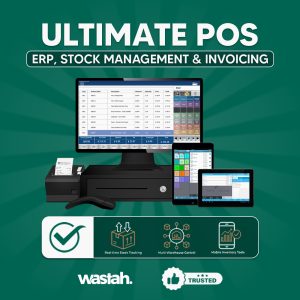
Ultimate POS is a complete Point of Sale (POS) and business management system designed to simplify business operations. Instead of using separate software for billing, inventory, customer management, and accounting, Ultimate POS combines everything into one powerful platform.
Businesses of all sizes—from small shops to large enterprises—can use Ultimate POS to improve productivity, reduce manual work, and increase profitability.
In this comprehensive guide, you’ll learn everything about Ultimate POS Software, including its features, benefits, industries that use it, and why it has become one of the most popular business management solutions worldwide.
What is Ultimate POS Software?
Ultimate POS Software is an advanced business management application that combines multiple business functions into one centralized system.
It helps businesses perform daily tasks such as:
- Sales Management
- Inventory Management
- Billing
- Purchase Management
- Customer Management
- Supplier Management
- Expense Tracking
- Employee Management
- Accounting
- Tax Calculation
- Business Reporting
Instead of maintaining separate records in Excel or paper registers, Ultimate POS stores all business information digitally and securely.
This allows business owners to access real-time information anytime and make better business decisions.
Why Businesses Need Ultimate POS Software
Running a business without automation often creates several problems:
- Inventory mistakes
- Billing errors
- Missing sales records
- Slow customer service
- Poor stock management
- Difficult accounting
- Time-consuming manual reports
Ultimate POS solves these challenges by automating repetitive tasks.
For example, when a product is sold:
- Stock is automatically reduced.
- Sales reports are updated instantly.
- Profit calculations are generated automatically.
- Customer purchase history is saved.
- Invoice is created immediately.
This automation reduces human errors while improving efficiency.
Key Features of Ultimate POS Software
1. Smart Point of Sale (POS)
The POS system provides a fast and professional billing experience.
Features include:
- Barcode scanning
- Quick product search
- Discount management
- Multiple payment methods
- Cash handling
- Digital invoices
- Thermal receipt printing
Customers spend less time waiting, improving overall satisfaction.
2. Inventory Management
Inventory management is one of the strongest features of Ultimate POS.
Businesses can:
- Track stock levels
- Receive low-stock alerts
- Monitor product quantities
- Manage warehouses
- Track product movement
- Prevent stock shortages
Real-time inventory updates help businesses avoid overstocking and understocking.
3. Purchase Management
Managing suppliers becomes easier with Ultimate POS.
Businesses can:
- Create purchase orders
- Record supplier invoices
- Track pending payments
- Monitor purchase history
- Compare supplier performance
Everything remains organized in one system.
4. Customer Relationship Management (CRM)
Customer loyalty is essential for business growth.
Ultimate POS includes CRM features such as:
- Customer database
- Purchase history
- Reward points
- Loyalty programs
- Credit management
- Customer groups
Businesses can build stronger relationships with customers and encourage repeat purchases.
5. Employee Management
Business owners can monitor employee performance using:
- User roles
- Staff permissions
- Attendance
- Sales tracking
- Login history
- Activity monitoring
Managers stay informed about employee productivity.
6. Expense Management
Ultimate POS records business expenses, including:
- Rent
- Utilities
- Salaries
- Transportation
- Maintenance
- Office supplies
Expense reports help calculate accurate business profits.
7. Accounting Features
Instead of separate accounting software, Ultimate POS includes built-in financial management tools.
Businesses can monitor:
- Income
- Expenses
- Profit & Loss
- Tax
- Payments
- Customer balances
- Supplier balances
This saves both time and money.
8. Reporting Dashboard
One of the biggest strengths of Ultimate POS is its reporting system.
Business owners can generate reports for:
- Daily Sales
- Weekly Sales
- Monthly Sales
- Annual Sales
- Profit Reports
- Tax Reports
- Inventory Reports
- Purchase Reports
- Expense Reports
- Employee Sales Reports
These reports help owners make informed business decisions.
wastah.pk rozivision.com
Benefits of Ultimate POS Software
Using Ultimate POS provides many business advantages:
- Faster billing process
- Better inventory control
- Accurate accounting
- Improved customer satisfaction
- Reduced paperwork
- Better employee management
- Real-time reports
- Increased business efficiency
- Lower operational costs
- Higher profitability
Businesses can focus more on growth instead of administrative tasks.